
OCI Bastion Service
Reach Your Private Resources Without Ever Exposing Them
Ahmed Hassan
7/10/20268 min read


If you have spent any time architecting workloads on Oracle Cloud Infrastructure, you already know the drill. You put your compute instances, your databases, your critical workloads in a private subnet, no public IP, no route to the internet, and you sleep a little better at night. Then Monday morning comes, someone needs to patch a VM or troubleshoot a MySQL instance, and suddenly you are stuck. How do you actually get in without punching a hole in your own security posture?
This is exactly the problem the OCI Bastion service was built to solve, and it does it in a way that is refreshingly simple once you understand how the pieces fit together.
The Old Way: Jump Hosts and Their Baggage
Before we talk about what OCI Bastion does well, it is worth remembering what most of us did before it existed: the traditional jump host, or self-managed bastion.
The idea was straightforward. You stand up a VM in a public subnet, give it a public IP, lock down the security rules as tightly as you can, and route all your SSH or RDP traffic through it to reach the private resources behind it. It works, but it comes with a catalog of problems that anyone who has run one will recognize immediately.
That box needs a public IP address. If your organization operates under a security zone policy or a compliance framework that forbids public IPs on sensitive tiers, you are already blocked before you start.
It is a VM like any other, which means patching, scaling, monitoring, and disaster recovery all land on your plate.
Cost creeps in as usage grows. More users, more concurrent sessions, more horsepower needed to keep that single jump box responsive.
None of this is catastrophic, but it is overhead you did not sign up for. Overhead is exactly what OCI Bastion removes.
What OCI Bastion Actually Does
OCI Bastion is a fully managed service, and that phrase is doing real work here. It means Oracle owns the availability, the scaling, the resilience of the service itself. You are not deploying a VM, you are not patching an OS, you are not worrying about what happens if traffic spikes. It simply works, and it is offered at no additional cost.
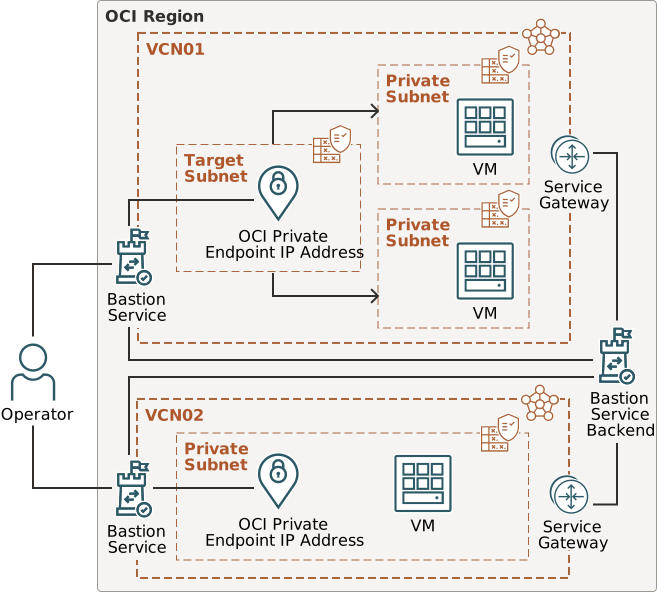
Under the hood, the service creates an SSH tunnel directly to your target host. No public IP is ever required on your resource. On top of that, you can whitelist the specific networks or IP ranges that are allowed to initiate a session, so even the tunnel itself is gated to known sources.
Access control runs through OCI IAM, which means you can define exactly who is permitted to create, manage, or use a Bastion and its sessions through policy statements, the same way you would govern any other OCI resource. And every session it creates is time-bound. You define how long a session should live, and once that window closes, access is automatically revoked. No lingering connections, no forgotten open doors.
https://docs.oracle.com/en/solutions/use-bastion-service/index.html
Session Types for Different Needs
One thing that makes OCI Bastion genuinely practical is that it does not assume every target looks the same. It offers three distinct session types depending on what you are connecting to.
Managed SSH sessions are the most tightly integrated option. They are built for Linux compute instances "not support windows" that meet a specific set of requirements:
the instance needs OpenSSH installed
the Oracle Cloud Agent is running
the Bastion plugin enabled on the instance.
Meet those conditions, and the service hands you a ready-to-use SSH command; all you supply is your private key.
Port forwarding sessions cover the scenarios managed SSH cannot. Think Windows instances, Autonomous Database, MySQL, or even a Linux box that does not have the Oracle Cloud Agent or an SSH server installed. This session type tunnels a specific port and protocol, RDP, Oracle Net Services, MySQL, whatever you need, as long as your security list allows traffic on that port.
The Numbers Worth Knowing
A few limits are worth keeping in your back pocket when you are designing around this service.
Each OCI region supports up to five active Bastions.
Each Bastion can host a maximum of 20 concurrent sessions.
Session duration tops out at 180 minutes, after which it automatically expires.
Each Bastion is scoped to a single VCN, so if you are managing multiple virtual cloud networks, plan on provisioning a Bastion per VCN rather than trying to stretch one across your environment.
These are not arbitrary restrictions; they reflect the design intent of the service: short-lived, purpose-built access rather than a permanent, always-on gateway.
The IAM Side of Things
This is where OCI Bastion actually earns its keep as a security control, not just a convenience feature. The service is built entirely on top of IAM policy statements, and the resource families involved are bastion-family, virtual-network-family, instance-family, instance-agent-plugins, and work-requests. Once you understand how these combine, you can build access tiers that go from full tenancy control down to a single user connecting to a single instance for a limited window.
Let me walk through the layers I typically design for a customer, from broadest to narrowest.
Layer 1: Full administrative control, tenancy-wide:
This is the policy for the small group of people who should be able to create, modify, and delete Bastions anywhere in the tenancy, along with the underlying network resources they depend on.
Notice the verb difference. manage on bastion-family and virtual-network-family gives full lifecycle control, create, update, delete. read on instance-family and instance-agent-plugins is deliberately narrower, this group only needs enough visibility to validate that the Bastion plugin is installed and running on a target instance, not the ability to modify compute resources. inspect on work-requests is the lightest verb OCI offers, just enough to check the status of an asynchronous operation like a Bastion being provisioned.
Layer 2: Operational access scoped to a compartment:
In most environments you do not want tenancy-wide reach for day-to-day operators. You want a team, say, your DBAs or a specific application squad, to be able to create and use Bastions only within their own compartment.
Here the group can use an existing Bastion and fully manage sessions against it, meaning they can create, connect to, and terminate their own sessions, but they cannot touch the Bastion resource itself. They cannot delete it, recreate it, or change its allowlist. That separation matters: the people connecting every day should not be the same people who control the security boundary of the Bastion.
Layer 3: Locking a session down to one specific instance.
This is where OCI Bastion's condition-based policies really shine. You can restrict a group so that even though they can create sessions, they can only ever target one named compute instance, identified by OCID.
I use this pattern constantly for production database hosts or any system where "someone on the team can reach it" is not good enough, you need "only this specific box, from this specific group."
Layer 4: Forcing the session username to match the IAM identity:
One condition worth knowing well is target.bastion-session.username. It lets you tie the OS-level username used inside the session to the actual IAM identity of the person connecting, which closes a real gap: without it, any authorized user could request a session as opc or another privileged account, even if that is not who they are.
I also recommend pairing this with an explicit restriction against the opc and ubuntu accounts for broader user groups, since both carry sudo privileges by default on OCI platform images. If a session absolutely must use opc, scope that permission to a small, named group rather than granting it broadly.
Layer 5: Read-only visibility for auditors:
Security and compliance teams often need to see what Bastions and sessions exist without being able to create, modify, or connect through any of them.
This single statement gives full read visibility into Bastions and their session history for audit purposes, with zero ability to act on anything.
A pattern worth internalizing across all five layers is that access is cumulative as you move from inspect, to read, to use, to manage. Each verb includes everything the previous one allowed, plus something new. Designing your policies verb by verb, rather than defaulting everyone to manage, is what keeps a Bastion deployment aligned with least privilege instead of quietly becoming another all-access jump host with extra steps.
For more Details: Policy Syntax
Where This Fits in Real Deployments
The practical value of OCI Bastion shows up the moment you are dealing with any resource that has no business being internet-facing: a database tier, an application server behind a load balancer, a management interface you only touch a few times a month. Instead of standing up infrastructure just to occasionally reach infrastructure, you request a session, connect, do the work, and let it expire on its own.
For teams working under strict compliance requirements, particularly around public IP restrictions in security zones, this is often the difference between an architecture that passes review and one that does not.
Bastion Session creation Example.
First, VCN should be created, and an instance or service should exist.
Secone, we need to make sure the user has the required polices.
Conculsion
The OCI Bastion service takes a problem that used to require its own dedicated infrastructure, its own maintenance cycle, its own cost line, and turns it into something you configure and then largely forget about. No public IP exposure, no jump host to patch, IAM-governed access, and sessions that clean up after themselves. If your private subnets currently rely on a traditional bastion host, or worse, some manual workaround, it is worth the hour it takes to migrate over.
Allow group '<Target Group>' to manage bastion-family in compartment<Target Compartment>
Allow group '<Target Group>' to manage virtual-network-family in compartment <Target Compartment>
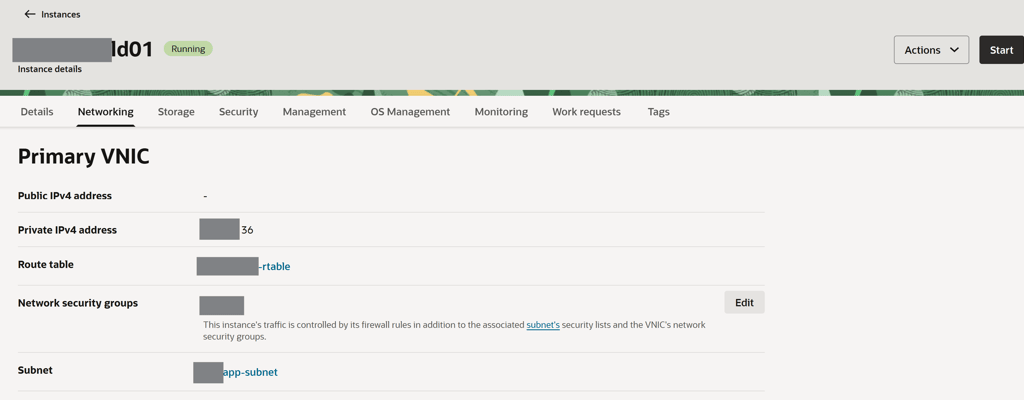
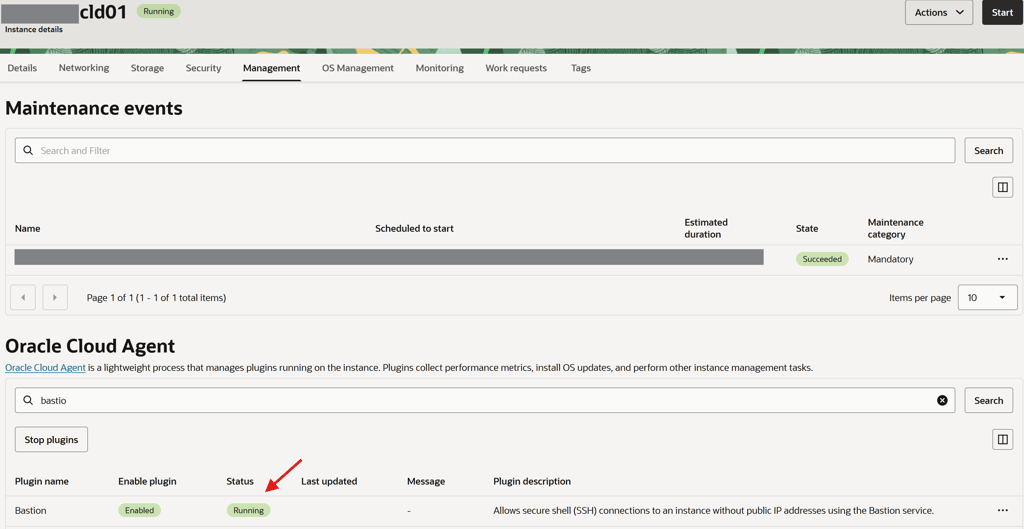
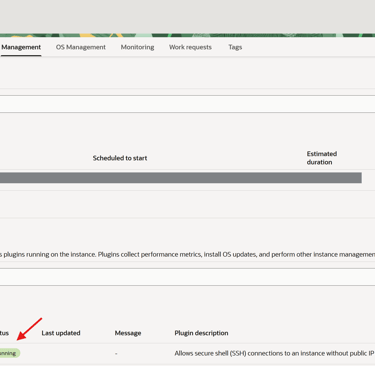
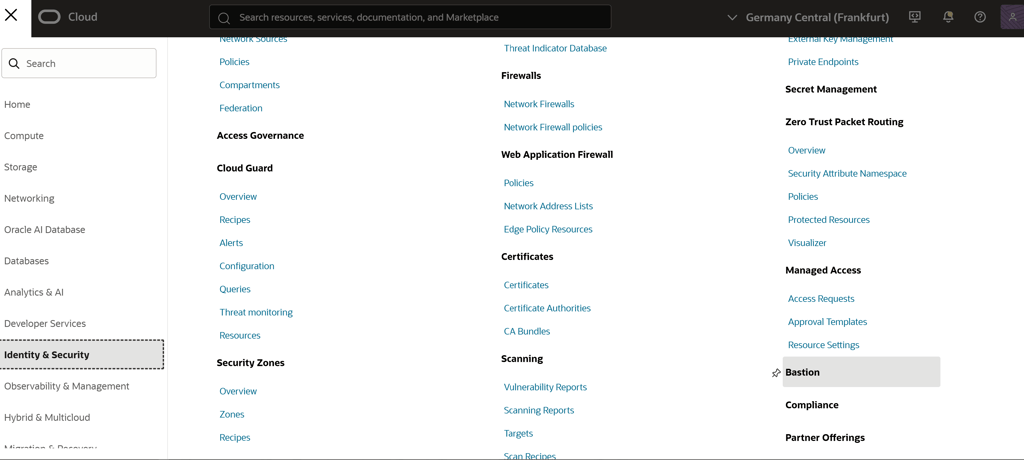
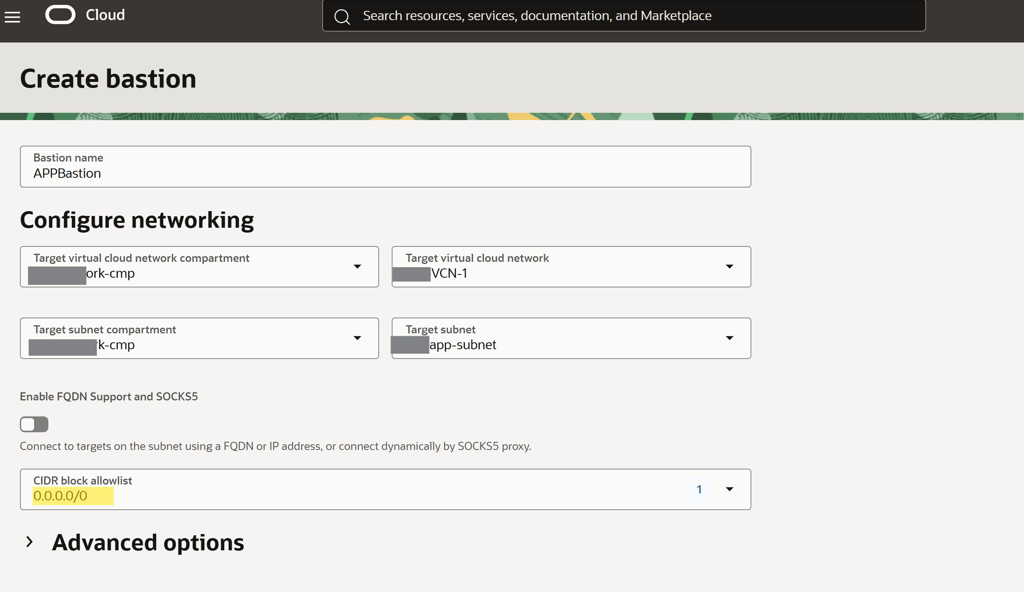
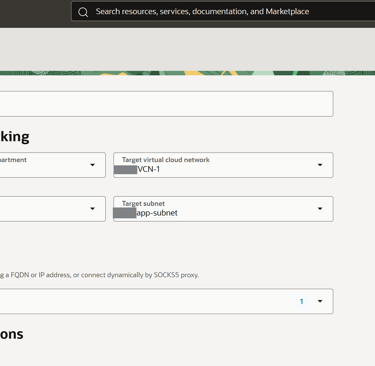
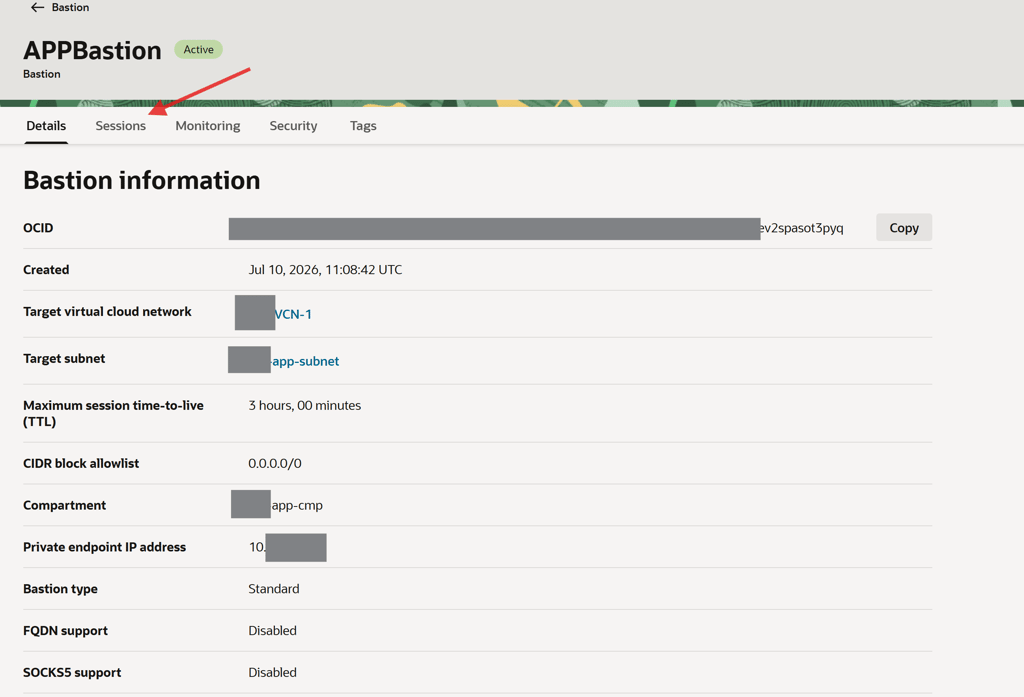
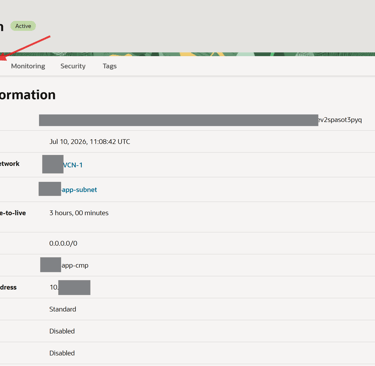
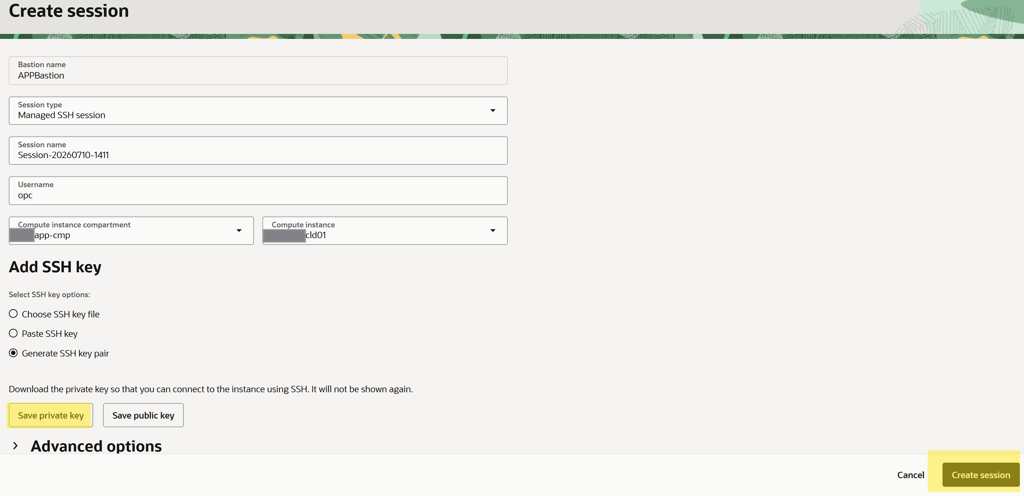
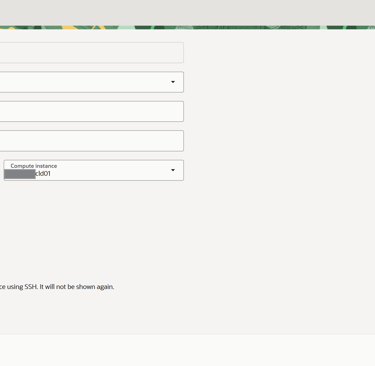
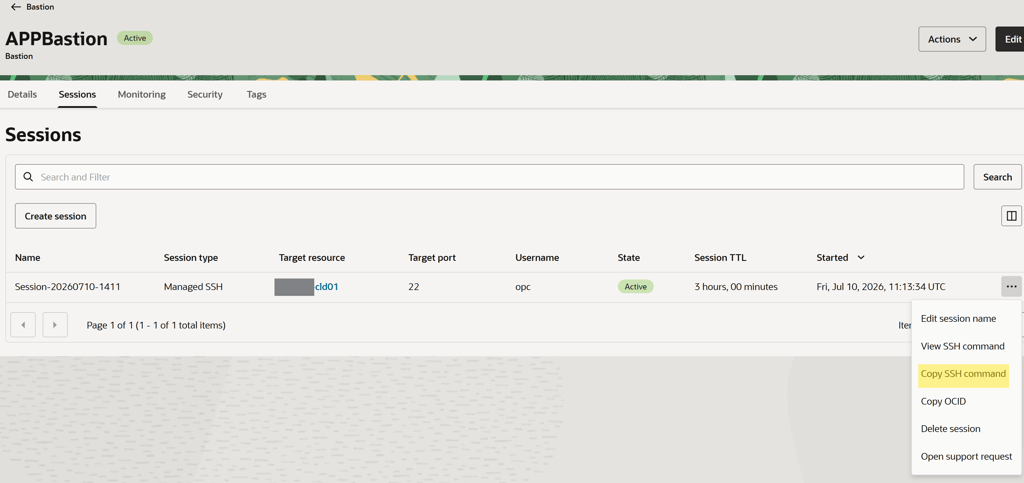
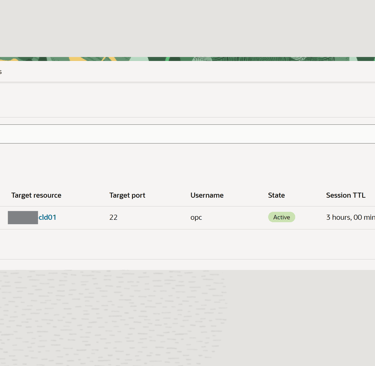

Note the Subnet name and instance details and Make sure the Bastion agen is enabled and running on the target instance
you can custom the allowlist to restict from where only you can connect
Save the Private key as we will use it to connect to the target instnace
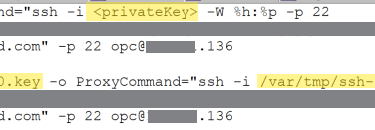
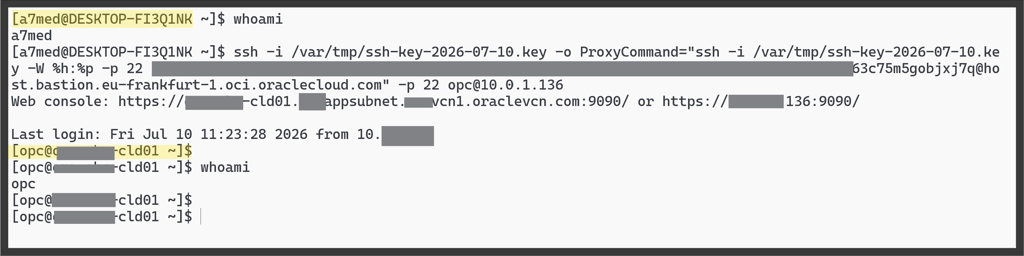
replace the <private key> with the name and lcoation for private key we already downloaded
We successfully connected to the target instance
Allow group SecurityAdmins to manage bastion-family in tenancy
Allow group SecurityAdmins to manage virtual-network-family in tenancy
Allow group SecurityAdmins to read instance-family in tenancy
Allow group SecurityAdmins to read instance-agent-plugins in tenancy
Allow group SecurityAdmins to inspect work-requests in tenancy
Allow group BastionUsers to use bastion in compartment SalesApps
Allow group BastionUsers to manage bastion-session in compartment SalesApps
Allow group BastionUsers to read instance-family in compartment SalesApps
Allow group BastionUsers to read vcn in compartment SalesApps
Allow group BastionUsers to read subnets in compartment SalesApps
Allow group BastionUsers to read instance-agent-plugins in compartment SalesApps
Allow group BastionUsers to read vnic-attachments in compartment SalesApps
Allow group BastionUsers to read vnics in compartment SalesApps
Allow group BastionUsers to inspect work-requests in compartment SalesApps
Allow group SalesAdmins to use bastion in compartment SalesApps
Allow group SalesAdmins to manage bastion-session in compartment SalesApps where ALL {target.resource.ocid='<instance_OCID>'}
Allow group SalesAdmins to read instance-family in compartment SalesApps
Allow group SalesAdmins to read instance-agent-plugins in compartment SalesApps
Allow group SalesAdmins to inspect work-requests in compartment SalesApps
Allow any-user to manage bastion-session in compartment HRProd where ALL {target.bastion-session.username=request.user.name}
Allow group SecurityAuditors to read bastion-family in compartment SalesApps
© 2026. All rights reserved.
Stay Updated
Get the latest posts on OCI and cloud tech